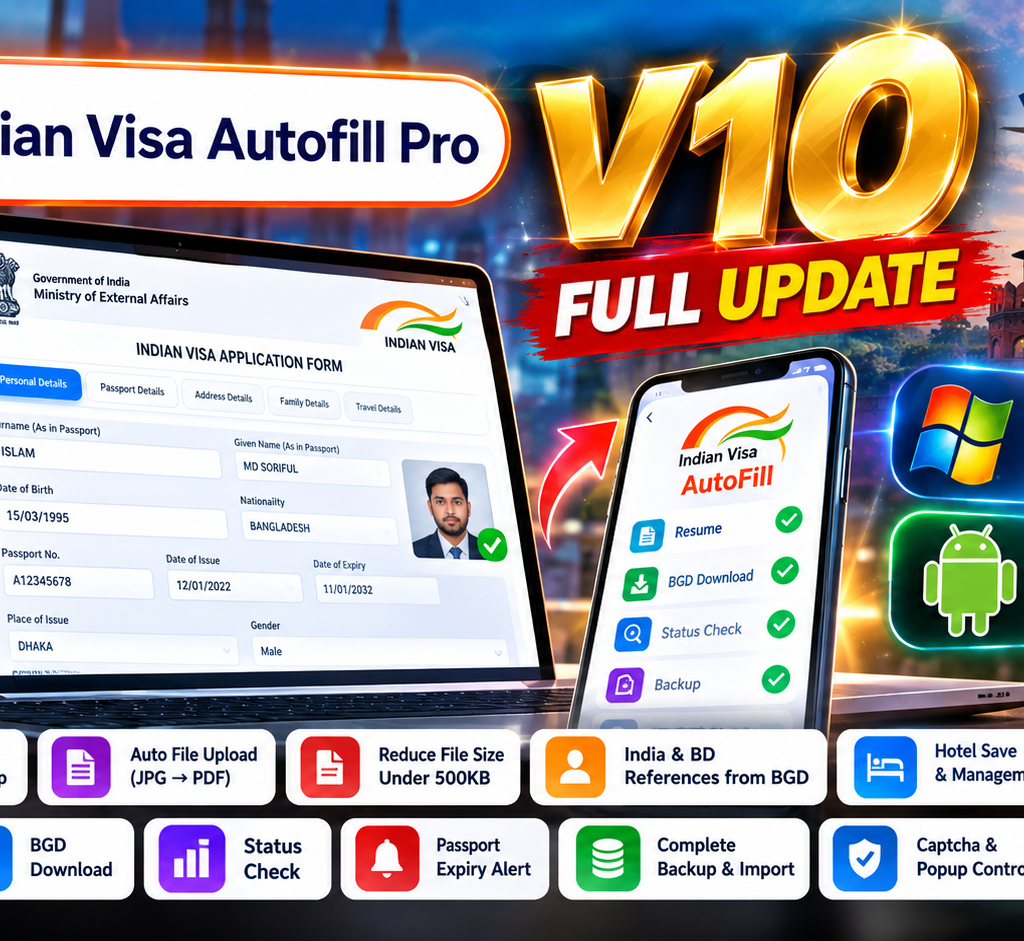
Indian Visa Autofill Pro V10 is here with a major upgrade to the way Indian Visa applications can be processed.
For travel agencies, computer shops, visa processing professionals and anyone handling multiple Indian Visa applications, manually entering the same passport, family, address, reference and visa information again and again can take significant time.
V10 focuses on removing those repetitive steps.
With Indian Visa Autofill Pro, users can automatically fill Indian Visa application forms using passport and previous application data—without repeatedly copying and pasting information field by field. (NexSoft Studio)
And the biggest part?
The core Indian Visa Autofill is available 100% FREE.
There are some additional services that may use credits, but the main Indian Visa Autofill workflow is provided with unlimited autofill access.
What is Indian Visa Autofill Pro?
Indian Visa Autofill Pro is a browser extension developed by NexSoft Studio for automating repetitive Indian Visa application processing.
It is particularly useful for:
- Indian Visa travel agencies
- Computer shops
- Visa processing centers
- Travel agents
- Freelance visa processors
- Users processing multiple applications
- Professionals who handle Indian Visa applications every day
Instead of manually typing the same information into multiple pages, the extension can extract and reuse applicant information to automatically populate the relevant fields.
The goal is simple:
Less typing. Less copy-paste. Less repetitive work. More organised Indian Visa processing.
Indian Visa Autofill Pro V10 — What’s New?
V10 is much more than a normal version update.
The focus of this release is expanding Indian Visa Autofill from simple form filling into a more complete application-processing workflow.
Some of the most important V10 improvements include:
📸 1. Automated Multi-Step Photo Upload
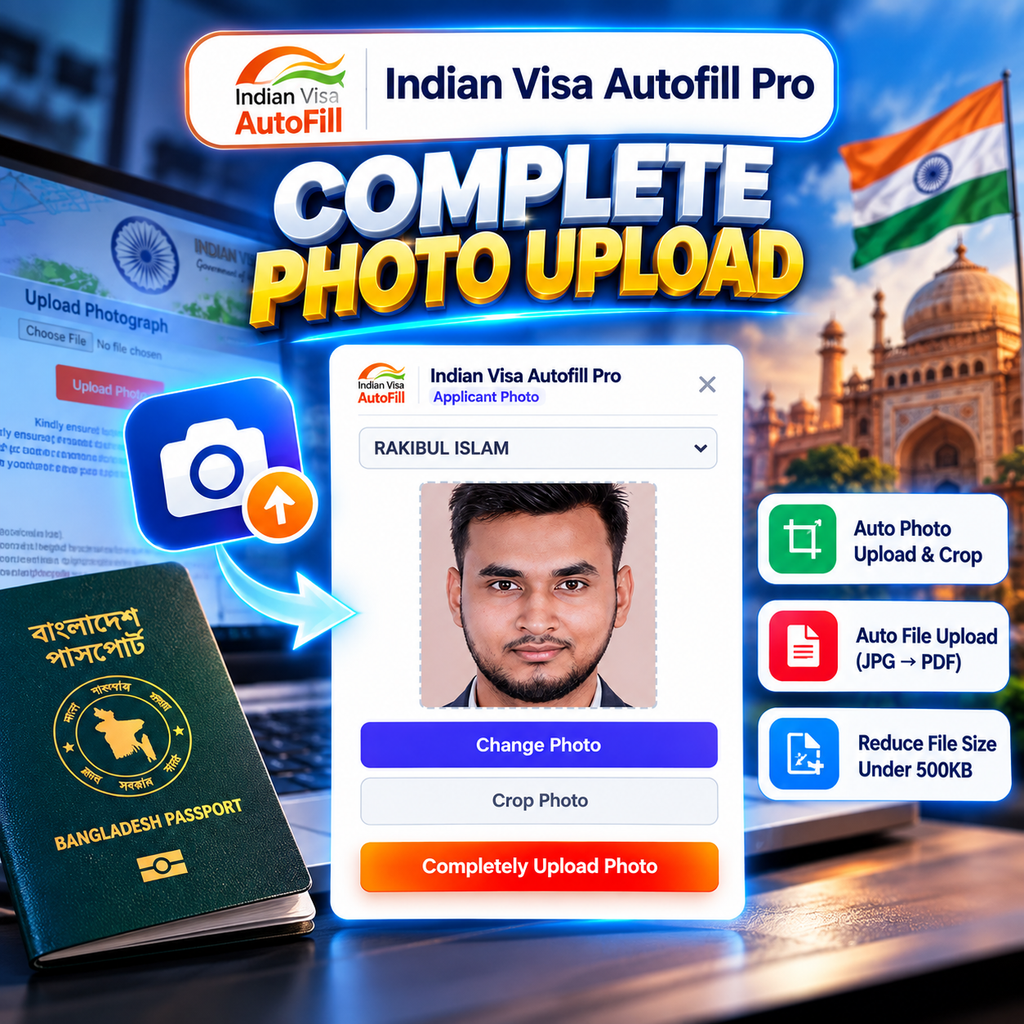
One of the biggest V10 improvements is the new Auto Photo Upload System.
Instead of manually selecting, cropping and uploading an applicant photo through multiple steps, V10 can automate the workflow.
The system can:
- Extract applicant photos from previous visa PDFs
- Accept custom photo uploads
- Automatically process the photo
- Handle the multi-step upload process
- Complete the photo upload workflow within seconds
This turns:
Select → Crop → Upload
into a much simpler automated workflow. (Chrome Web Store)
For users processing many applications every day, this can remove one of the most repetitive parts of the Indian Visa application process.
📄 2. Smart PDF & Document Upload
V10 also introduces a smarter document-upload workflow.
Images and documents can be automatically converted and compressed for the required Indian Visa PDF upload workflow.
The system supports:
JPG → PDF → Compression → Upload
It can also handle batch document uploads, making document preparation easier when processing multiple applications. (Chrome Web Store)
🇧🇩 3. Bangladesh Reference Extraction
Reference information is another area where manual data entry can become repetitive.
Indian Visa Autofill Pro V10 introduces Dual Reference Extraction, designed to extract both Indian and Bangladesh reference information from uploaded BGD visa/application data.
This means users can spend less time manually searching through previous application documents for reference details. (Chrome Web Store)
🔄 4. Smart Bangladesh Reference Switcher
V10 also adds a Smart BD Reference Switcher.
Users can switch and generate Bangladesh reference information based on available:
- Spouse information
- Father information
- Mother information
The reference workflow can be managed directly from the editor rather than repeatedly entering information manually. (Chrome Web Store)
🏨 5. Indian Hotel Management
Hotel information is another repetitive part of Indian Visa processing.
With V10, users can save hotel information and reuse it for future applications.
The system can also work with hotel information extracted from BGD application data or information stored in the user’s database. (Chrome Web Store)
For agencies processing multiple applications, this can make recurring hotel information much easier to manage.
📑 6. One-Click Document Generation
V10 also brings document-generation tools into the workflow.
Users can generate documents such as:
- Indian Visa Cover Letter
- Company NOC
- Medical Undertaking
The goal is to reduce another layer of repetitive document preparation during the Indian Visa process. (Chrome Web Store)
⚡ 7. One-Click Application Workflow
V10 is designed around a more connected workflow instead of treating every task separately.
Depending on the available service and workflow, users can access tools for:
- Application Resume
- BGD Download
- Status Check
- Document Generation
- Reference Management
- Hotel Management
- Photo Upload
- File Upload
This is particularly useful for professional processors handling many applications in a day.
🧩 8. Advanced CAPTCHA Workflow
Another major V10 improvement is the introduction of an advanced dedicated CAPTCHA workflow.
CAPTCHA is an important part of modern online application systems, and the extension provides dedicated controls designed to make the supported workflow easier to manage.
The purpose is not to bypass security systems, but to make supported user interactions more organised and efficient.
🆓 Is Indian Visa Autofill Pro Free?
Yes.
The core Indian Visa Autofill functionality is offered with unlimited use for free.
This means users looking specifically for:
- Indian Visa Autofill Free
- Indian Visa Autofill Pro Free
- Indian Visa Free Unlimited Autofill
- IVAC Form Autofill
- IVAC Autofill
- Indian Visa Autofiller
- Autofill IVAC Form
can use the main autofill workflow without paying per application.
Some additional services inside the extension may require credits, but the primary autofill experience remains free.
This makes Indian Visa Autofill Pro particularly useful for users who process a large number of applications.
Indian Visa Autofill vs Manual Form Filling
Manual Indian Visa processing usually means repeatedly entering information from passports, previous applications and supporting documents.
For a single application, this may not seem like a major problem.
But imagine processing:
10 applications → 20 applications → 50 applications per day.
The same information may need to be entered again and again.
Indian Visa Autofill Pro is designed to reduce this repetitive workload.
Manual Workflow
Passport → Read information → Copy → Paste → Check → Repeat
Autofill Workflow
Passport / Previous Data → Select Profile → Autofill → Verify
The difference becomes much more significant when processing applications at scale.
Who Should Use Indian Visa Autofill Pro?
Indian Visa Autofill Pro is primarily designed for people who process Indian Visa applications regularly.
🏪 Computer Shops
If your computer shop provides Indian Visa application services, the extension can reduce repetitive typing and data-entry work.
✈️ Travel Agencies
Travel agencies handling multiple Indian Visa applications can reuse applicant profiles and streamline repetitive workflows.
🛂 Visa Agents
Visa processing professionals can manage applicant information, references, hotels and documents more efficiently.
👨💻 Freelance Visa Processors
For individuals processing applications for multiple clients, automation can save significant manual effort.
👥 High-Volume Application Processors
The more applications you process, the more valuable repetitive-work automation becomes.
Indian Visa Autofill Pro Is Not Just an Autofiller Anymore
The original idea was simple:
Fill the Indian Visa form automatically.
V10 takes that idea further.
Now the workflow can cover multiple parts of the application process:
Applicant Data → Form Autofill → Photo → Documents → References → Hotel → Documents Generation → Application Workflow
That is why V10 represents a much bigger change than a normal feature update.
It moves Indian Visa Autofill Pro toward a more complete Indian Visa processing automation workflow.
Is Indian Visa Autofill Pro an Official IVAC Tool?
No.
Indian Visa Autofill Pro is a third-party browser extension developed by NexSoft Studio. It is not an official IVAC or Government of India application.
The official Indian Visa process remains the authority for application submission, documentation, appointment and visa-related requirements. (iVape CBD)
Indian Visa Autofill Pro is designed to automate repetitive data-entry and processing tasks while users remain responsible for reviewing the information before submission.
Always verify passport information, application information and supporting documents before submitting an application.
Why V10 Matters for Indian Visa Processing
The biggest benefit of V10 isn’t one individual feature.
It is the combination.
Previously, a processor might need separate manual steps for:
Form → Photo → PDF → Reference → Hotel → NOC → Medical Document
V10 brings many of these repetitive tasks into one connected workflow.
That means less time spent on repetitive computer work and more time available for checking applications and serving clients.
For professional Indian Visa processors, that’s the real value of automation.
Start Using Indian Visa Autofill Pro V10
If you regularly process Indian Visa applications, you don’t need to keep typing the same information over and over.
With Indian Visa Autofill Pro V10, you can automate the repetitive parts of your workflow and process applications in a more organised way.
🚀 Indian Visa Autofill Pro V10
Unlimited Core Autofill — 100% FREE
📸 Automated Photo Upload
📄 Smart PDF & Document Upload
🇧🇩 Bangladesh Reference Automation
🇮🇳 Indian Reference Extraction
🏨 Hotel Management
📑 Document Generation
🧩 Advanced CAPTCHA Workflow
⚡ Faster Application Processing
🔄 Multiple Workflow Automations
Install Indian Visa Autofill Pro and experience V10.
Install Indian Visa Autofill Pro
For support, NexSoft Studio provides official support channels for login, recharge, autofill and technical issues. (NexSoft Studio)